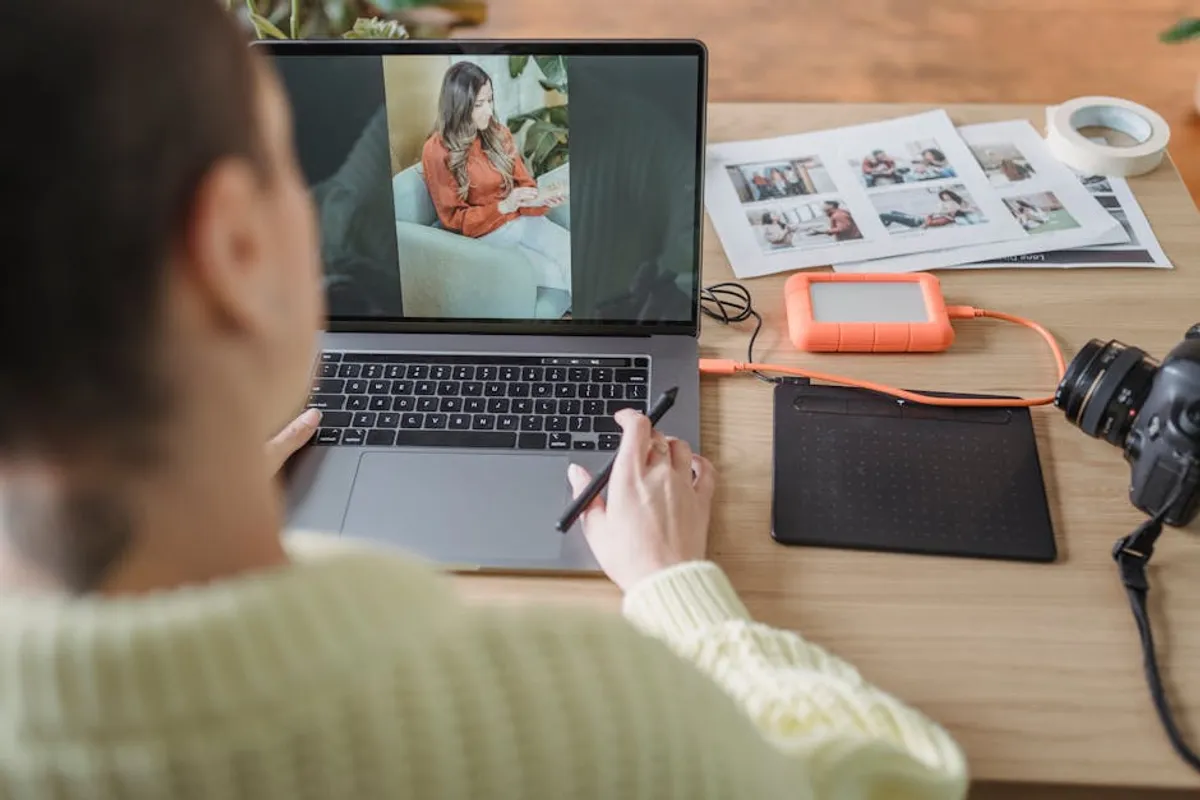
Crafting compelling visual content for social media platforms demands efficiency without compromising quality. For marketers, agencies, and content creators, the ability to quickly edit photos directly on a mobile device is no longer a convenience—it's a workflow imperative. The right photo editing app streamlines the process from capture to post, ensuring brand consistency, optimizing visual impact, and meeting the rapid pace of social media engagement. This selection focuses on applications designed for speed, intuitive operation, and features that directly benefit social media content production, moving beyond basic filters to offer granular control and creative flexibility.
Key Considerations for Social Media Photo Editing Apps
Selecting an app for quick social media posts requires evaluating several critical factors beyond mere filter options. The objective is to enhance workflow, maintain brand aesthetics, and maximize engagement with minimal time investment. Consider these points when assessing potential tools:
- Ease of Use and Interface: Social media posting is often done on the go. An app with an intuitive, uncluttered interface allows for rapid edits without a steep learning curve. Look for clear navigation, accessible tools, and responsive controls.
- Core Editing Features: Beyond basic cropping and rotation, essential features include exposure, contrast, saturation, white balance, and sharpening. Advanced capabilities like selective adjustments, healing brushes, and perspective correction can elevate content.
- Preset and Filter Libraries: Pre-built filters and customizable presets accelerate editing by applying consistent looks across multiple images. The ability to save custom presets is invaluable for maintaining brand identity.
- Text and Graphic Overlays: Many social media strategies incorporate text, logos, or graphic elements directly onto images. Integrated tools for adding and styling text, stickers, or brand assets reduce the need for multiple applications.
- Collage and Layout Options: For platforms like Instagram Stories or carousels, apps offering flexible collage templates and layout tools can consolidate multiple images into a single, engaging post.
- Export and Sharing Capabilities: Direct sharing options to various social platforms and control over export resolution, file type, and compression are crucial for maintaining image quality and optimizing load times.
- Platform Availability and Sync: Whether you operate primarily on iOS, Android, or require cross-device synchronization (e.g., between mobile and desktop), compatibility affects workflow continuity.
- Cost Model: Apps range from free with in-app purchases to subscription-based models. Evaluate if the free tier meets basic needs or if premium features justify the investment for professional use.
1. Adobe Lightroom Mobile
Adobe Lightroom Mobile provides a robust, professional-grade editing suite optimized for mobile devices. It offers a comprehensive set of tools, from basic adjustments like exposure and contrast to advanced features such as selective edits, healing brushes, and geometry corrections. Its strength lies in its non-destructive editing workflow and seamless integration with the Adobe Creative Cloud ecosystem, allowing for project continuity across devices. The app supports RAW file editing, crucial for photographers who demand maximum flexibility from their captures before social media optimization.
Best for: Professional photographers and marketers requiring advanced control, RAW file editing, and cross-device workflow synchronization for high-quality social media visuals.
Pros:
- Extensive, precise editing tools including selective adjustments and curves.
- Non-destructive editing preserves original image data.
- Cloud synchronization across mobile and desktop versions.
- Supports RAW image formats for maximum detail retention.
- Large library of customizable presets and the ability to create custom ones.
Cons:
- Full feature set requires an Adobe Creative Cloud subscription.
- Steeper learning curve for beginners compared to simpler apps.
- Can be resource-intensive on older mobile devices.
Verdict: Lightroom Mobile is the industry standard for serious mobile photo editing, offering unparalleled control and integration for those committed to a professional visual output on social media. Its subscription model is a consideration, but the capabilities justify the investment for consistent, high-quality content.
2. Snapseed
Snapseed, developed by Google, is a powerful and entirely free photo editing app known for its intuitive interface and extensive toolset. It offers a balance of automated enhancements and granular manual controls, including selective adjustment brushes, healing tools, and a unique "Expand" feature for intelligent canvas resizing. Its stack-based editing approach allows users to revert or modify any edit at any point, providing flexibility. Snapseed excels at quick, impactful edits for a wide range of image types, making it a versatile choice for social media managers.
Best for: Users seeking a powerful, free, and intuitive app for detailed image enhancements and quick fixes without a subscription barrier.
Pros:
- Completely free with no ads or in-app purchases.
- Comprehensive suite of professional-grade editing tools.
- Non-destructive editing with a history stack for adjustments.
- Intuitive gesture-based interface for precise control.
- Strong selective adjustment capabilities.
Cons:
- No cloud sync or cross-device integration.
- Limited social sharing integrations compared to some competitors.
- Lacks specific features for graphic overlays or collage creation.
Verdict: Snapseed remains a top-tier choice for mobile photo editing due to its robust features and zero cost. It’s ideal for marketers who need to produce high-quality, edited images quickly and don't require cross-platform workflow synchronization or advanced graphic design elements within the same app.
3. VSCO
VSCO (Visual Supply Company) is renowned for its sophisticated film-inspired filters and advanced camera controls. It emphasizes aesthetic consistency and a curated visual style, offering a wide array of presets that emulate classic film stocks. Beyond filters, VSCO provides essential editing tools like exposure, contrast, saturation, and grain, allowing for fine-tuning. The app also features a community platform for sharing and discovering content, fostering a distinct visual culture. Its focus on artistic filters and subtle adjustments makes it popular for creating cohesive brand aesthetics.
Best for: Brands and individuals aiming for a consistent, artistic, and film-like aesthetic across their social media feeds, prioritizing mood and tone.
Pros:
- Extensive collection of high-quality, film-inspired presets.
- Advanced camera controls for manual shooting.
- Fine-tuning options for granular control over adjustments.
- Community platform for inspiration and sharing.
- Focus on subtle, natural-looking enhancements.
Cons:
- Many premium presets and tools are locked behind a subscription (VSCO X).
- Interface can be less intuitive for first-time users compared to others.
- Lacks robust text overlay or collage features.
Verdict: VSCO is an excellent choice for those prioritizing a specific visual mood and consistent aesthetic. While many features are subscription-based, the quality of its presets and editing tools makes it a valuable asset for brands cultivating a strong visual identity on social media.
4. Canva
Canva transcends traditional photo editing, acting as a comprehensive graphic design tool that includes powerful image manipulation capabilities. While it offers standard photo adjustments like filters, brightness, and contrast, its true strength lies in its vast library of templates, fonts, graphic elements, and stock photos. Users can easily combine images with text, shapes, icons, and brand assets to create visually rich social media graphics, stories, and banners. Its drag-and-drop interface makes complex design accessible to non-designers, accelerating content creation for various platforms.
Best for: Marketers and small businesses needing an all-in-one solution for creating branded social media graphics, combining images with text and design elements.
Pros:
- Extensive library of templates for various social media platforms.
- Intuitive drag-and-drop interface, suitable for non-designers.
- Vast collection of stock photos, fonts, and graphic elements.
- Collaboration features for team workflows.
- Includes basic photo editing tools.
Cons:
- Photo editing features are less advanced than dedicated photo editors.
- Premium assets and advanced features require a Pro subscription.
- Can be overwhelming due to the sheer number of options.
Verdict: Canva is indispensable for social media content creation, especially when images need to be integrated with text, logos, or other design elements. It's more of a design platform with photo editing capabilities than a pure photo editor, making it highly efficient for producing branded social posts quickly.
5. PicsArt
PicsArt offers a broad spectrum of creative tools, positioning itself as a comprehensive photo and video editor, collage maker, and drawing app. It combines standard photo adjustments with a playful array of effects, stickers, magic effects, and AI-powered tools like background removal and object replacement. Its strength lies in its versatility, allowing users to go beyond simple edits to create highly stylized and composite images. The app also features a robust collage maker and a community for sharing creations, making it suitable for highly creative and engaging social content.
Best for: Content creators and marketers looking for a highly versatile app to create imaginative, composite, and highly stylized social media visuals, including collages and graphic overlays.
Pros:
- Extensive range of creative tools: effects, stickers, magic effects, drawing.
- AI-powered features like background removal and object cloning.
- Robust collage maker with numerous templates.
- Integrated video editing capabilities.
- Large, active community for inspiration and sharing.
Cons:
- Frequent ads in the free version; many advanced features are subscription-based.
- Interface can feel cluttered due to the abundance of options.
- Some AI tools may require precise input for optimal results.
Verdict: PicsArt is a powerhouse for creative social media content, offering tools for both subtle enhancements and dramatic transformations. Its sheer range of features makes it a strong contender for brands that prioritize unique, eye-catching, and interactive visuals, provided they can navigate the subscription model and occasional ad interruptions.
6. Facetune
Facetune specializes in portrait and selfie retouching, offering a suite of tools designed to enhance facial features and smooth skin with remarkable precision. Features include skin smoothing, teeth whitening, eye brightening, reshaping tools, and even hair color changes. While often associated with personal use, Facetune's capabilities are highly relevant for brands featuring people in their social media content, such as fashion, beauty, or lifestyle brands. It allows for quick, natural-looking touch-ups that maintain a professional and polished appearance.
Best for: Brands and individuals frequently posting portraits, selfies, or product shots featuring people, where subtle yet effective facial retouching is a priority.
Pros:
- Specialized, high-quality portrait retouching tools.
- Intuitive interface for precise facial adjustments.
- Tools for skin smoothing, teeth whitening, reshaping, and more.
- Ability to refine specific facial features naturally.
- Quick and efficient for on-the-go touch-ups.
Cons:
- Limited general photo editing features beyond portraits.
- Full feature access requires a subscription.
- Can be overused, leading to an artificial appearance if not applied subtly.
Verdict: Facetune excels in its niche, providing unparalleled tools for enhancing human subjects in social media imagery. For brands where the human element is central to their content strategy, Facetune offers efficient, high-quality retouching that can significantly elevate the perceived professionalism and appeal of their posts.
7. Afterlight
Afterlight offers a curated selection of filters, textures, and light leaks, appealing to users who prefer a more organic, film-like, or retro aesthetic. Beyond its strong filter library, it provides a comprehensive set of basic and advanced editing tools, including curves, selective color, and double exposure. Its interface is clean and functional, allowing for quick application of effects and precise adjustments. Afterlight's focus on unique visual effects combined with solid core editing makes it a versatile tool for creating distinctive social media content.
Best for: Users seeking a balance of powerful editing tools and a wide array of unique, artistic filters and textures to create visually distinct social media posts.
Pros:
- Extensive and high-quality filter library, including film emulation.
- Unique textures, light leaks, and dust overlays for vintage aesthetics.
- Advanced editing tools like curves and selective color.
- Clean, user-friendly interface.
- Regular updates with new features and assets.
Cons:
- Many filters and features are subscription-based.
- Lacks specific graphic design or text overlay capabilities.
- Can be less intuitive for beginners compared to simpler filter apps.
Verdict: Afterlight is a strong choice for content creators who want to infuse their social media visuals with a distinct artistic flair. Its combination of robust editing and unique creative assets makes it effective for crafting memorable and cohesive visual narratives, provided the subscription aligns with budget.
8. Foodie
Foodie is a specialized photo editing app designed specifically for food photography. It offers a wide array of filters optimized to make food look more appetizing, enhancing colors, textures, and lighting. Beyond filters, it includes smart guides for overhead shots, a blur function for depth of field effects, and brightness/contrast adjustments tailored for culinary visuals. Its focus on a niche subject allows for highly effective, quick enhancements that resonate with audiences interested in food, making it invaluable for restaurants, food bloggers, and culinary brands on social media.
Best for: Restaurants, food bloggers, chefs, and any brand frequently posting food-related content on social media, requiring quick, appetizing enhancements.
Pros:
- Specialized filters and tools optimized for food photography.
- Smart guide feature for perfect overhead shots.
- Adjustable blur for creating depth of field effects.
- Enhances colors and textures to make food look more appealing.
- Simple and intuitive interface for quick edits.
Cons:
- Highly niche-specific; limited utility for non-food photography.
- Lacks advanced general-purpose editing features.
- Fewer creative overlays or graphic design elements.
Verdict: For anyone in the food industry or creating food-centric content, Foodie is an indispensable tool. Its targeted features allow for rapid, impactful improvements to food photos, directly translating to more engaging and appealing social media posts that drive interest and appetite.
9. PhotoDirector
PhotoDirector by CyberLink is a comprehensive photo editor that blends powerful editing tools with creative effects and AI-powered features. It offers a wide range of adjustments, from basic color and exposure corrections to advanced object removal, sky replacement, and animated decorations. The app provides a balance between precise manual controls and one-tap AI enhancements, making it versatile for various editing needs. Its emphasis on creative effects and AI tools allows for unique and dynamic social media content that stands out.
Best for: Users seeking a feature-rich editor with AI-powered tools for creative effects, object removal, and dynamic enhancements for engaging social media visuals.
Pros:
- Extensive set of editing tools, including advanced adjustments.
- AI-powered features like sky replacement, object removal, and animated effects.
- Wide range of filters, effects, and decorative elements.
- Supports RAW file editing.
- Intuitive interface with guided tutorials.
Cons:
- Many advanced features and stock content require a premium subscription.
- Can be resource-intensive on older devices.
- Some AI features may require fine-tuning for natural results.
Verdict: PhotoDirector is a strong contender for social media marketers who want to leverage AI and creative effects to produce highly dynamic and polished visuals. Its blend of professional tools and innovative features makes it capable of transforming ordinary photos into captivating social media assets, particularly for those willing to invest in the premium version.
10. AirBrush
AirBrush focuses on quick and effective retouching for portraits and selfies, similar to Facetune but with a slightly different set of tools and a generally simpler interface. It offers features like blemish remover, teeth whitener, eye brightener, skin smoother, and reshaping tools, all designed for rapid application. The app emphasizes ease of use, allowing users to achieve polished results with minimal effort. This makes it ideal for social media posts where a clean, refined look for human subjects is paramount without requiring extensive editing knowledge.
Best for: Individuals and brands needing fast, user-friendly portrait retouching and skin enhancements for social media posts, prioritizing simplicity and efficiency.
Pros:
- Extremely easy to use for quick portrait touch-ups.
- Effective tools for blemish removal, skin smoothing, and teeth whitening.
- Reshaping features for subtle adjustments to facial structure.
- Real-time editing with a "magic" tool for instant enhancements.
- Good for achieving a natural, polished look.
Cons:
- Limited general photo editing capabilities beyond portraits.
- Many advanced features and filters require a subscription.
- Can lead to an artificial appearance if features are overused.
Verdict: AirBrush is a highly efficient tool for anyone frequently posting photos of themselves or others on social media. Its focus on quick, effective portrait enhancements makes it a time-saver for maintaining a polished online presence, especially for influencers and personal brands, provided the subscription model aligns with usage.
11. Lightleap
Lightleap, formerly Quickshot, is an intuitive photo editor designed for rapid, impactful transformations. Its standout features include one-tap sky replacement, self-correcting filters, and powerful healing tools. The app prioritizes speed and ease of use, allowing users to dramatically alter the mood and appearance of their photos with minimal effort. It's particularly effective for outdoor and landscape photography, enabling quick enhancements that make images pop on social media feeds without requiring advanced editing skills.
Best for: Users who want to quickly enhance outdoor and landscape photos, especially with dramatic sky changes and instant mood adjustments, for eye-catching social media posts.
Pros:
- Remarkably effective one-tap sky replacement feature.
- Intuitive interface for rapid, impactful edits.
- Self-correcting filters and AI-powered adjustments.
- Powerful healing and object removal tools.
- Focus on transforming outdoor and landscape photos.
Cons:
- Many advanced features and sky packs are behind a subscription.
- Less comprehensive for portrait or graphic design needs.
- Can produce overly dramatic results if not used subtly.
Verdict: Lightleap is an excellent tool for social media managers and content creators who frequently post outdoor or travel-related content. Its ability to quickly and dramatically enhance skies and overall scene mood makes it highly efficient for creating visually stunning posts that capture attention, especially with its one-tap features.
12. Instasize
Instasize provides a comprehensive suite of tools specifically tailored for social media, particularly Instagram. It combines photo and video editing with a collage maker, text editor, and a vast library of filters and borders. The app focuses on helping users optimize their content for various social platforms by offering precise resizing options, aesthetically pleasing borders, and a wide array of fonts. Its all-in-one approach for social media content creation streamlines the workflow from editing to preparing posts for different aspect ratios.
Best for: Social media managers and content creators needing an all-in-one app to prepare photos and videos for Instagram and other platforms, focusing on sizing, borders, and quick aesthetic enhancements.
Pros:
- Comprehensive suite for photo, video, and collage editing.
- Specifically designed for social media, with focus on aspect ratios and borders.
- Large library of filters, fonts, and backgrounds.
- Easy-to-use interface for quick content preparation.
- Regularly updated with new features and content.
Cons:
- Many premium features, filters, and fonts are subscription-based.
- Photo editing tools are more basic compared to dedicated editors like Lightroom or Snapseed.
- Can feel less specialized for advanced photo manipulation.
Verdict: Instasize is a highly practical tool for anyone whose social media strategy heavily relies on visually optimized content for platforms like Instagram. Its strength lies in its ability to quickly prepare and enhance images and videos with appropriate sizing and aesthetic touches, making it a workflow accelerator for consistent social posting.
Selecting the Right App for Your Social Media Workflow
The "best" photo editing app is ultimately the one that integrates most seamlessly into your existing social media workflow and consistently delivers the desired visual output. Begin by identifying your primary content needs: are you frequently retouching portraits, creating intricate graphics, or enhancing landscape shots? Evaluate the app's core strengths against these requirements. Consider the volume of content you produce; apps with robust preset management or batch editing capabilities can significantly reduce time investment. Test several free versions or trials to assess the interface, feature accessibility, and output quality on your specific device. Finally, factor in the cost-benefit analysis of premium subscriptions versus the time saved and the quality gained. A well-chosen app becomes an extension of your content strategy, not just a tool, ensuring your social media visuals are consistently professional and engaging.
Frequently Asked Questions
Are free photo editing apps sufficient for professional social media use?
Many free apps, such as Snapseed, offer professional-grade editing tools that are entirely sufficient for high-quality social media content