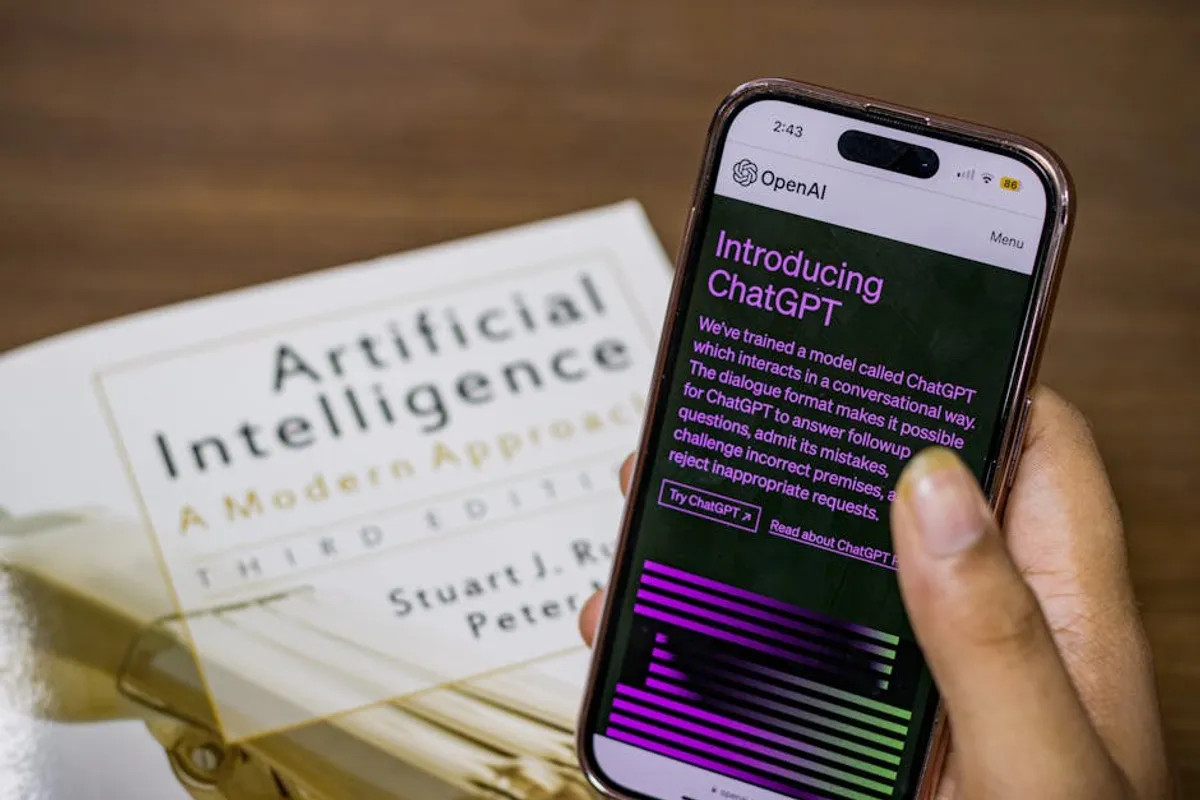
The emergence of large language models has redefined how individuals and businesses approach tasks ranging from content generation to data analysis. ChatGPT, while foundational, operates with specific access models and, for its most advanced capabilities, requires a paid subscription. This creates a demand for robust, free alternatives that can address similar needs without financial commitment. For SEO professionals, marketers, and content creators, identifying these free tools is not merely about cost savings; it's about diversifying capabilities, accessing different underlying models, and circumventing potential usage caps or feature limitations inherent in any single platform's free tier.
The landscape of AI chatbots is dynamic, with new models and interfaces appearing regularly. Many of these alternatives offer distinct advantages, such as enhanced web browsing capabilities, integrated image generation, or a focus on specific tasks like coding or research. Understanding the nuances of each free offering allows users to select the most appropriate tool for a given project, ensuring continuity of work even when primary access to a specific AI model is constrained or when a different model's strengths align better with the task at hand. This guide outlines leading free ChatGPT alternatives, detailing their specific functionalities and commercial utility.
What to Look For in a Free ChatGPT Alternative
When evaluating free AI chatbot alternatives, a critical assessment of their core capabilities and practical limitations is essential. The "free" aspect often comes with constraints on usage, feature sets, or model sophistication. Here are key considerations:
- Model Capabilities and Intelligence: Assess the underlying AI model's generation quality, coherence, factual accuracy, and ability to handle complex prompts. Some models excel at creative writing, others at logical reasoning or code generation.
- Context Window and Memory: A larger context window allows the AI to retain more information from previous turns in a conversation, crucial for lengthy discussions or iterative content development.
- Access to Real-time Information: Determine if the AI can browse the internet for current data, which is vital for up-to-date content, market research, or trend analysis.
- Specific Feature Sets: Look for features beyond basic text generation, such as image creation, data analysis, summarization capabilities, or integration with other tools.
- Language Support: Verify that the AI supports the necessary languages for your target audience or content creation needs.
- User Interface and Experience: An intuitive and efficient interface reduces friction and improves productivity. Consider ease of prompt input, response readability, and conversation management.
- Usage Limits and Fair Use Policies: Free tiers often impose daily message limits, rate limits, or restrictions on the complexity or length of outputs. Understand these constraints to manage expectations and workflow.
- Data Privacy and Security: For commercial applications, understand how your input data is used, stored, and if it contributes to model training.
- Integration and Export Options: The ability to easily copy, export, or integrate generated content into your existing workflows (e.g., CMS, code editors) streamlines production.
1. Google Gemini
Google Gemini, Google's advanced multimodal AI, serves as a direct competitor to other leading large language models. Initially launched as Bard, Gemini leverages Google's extensive data and search capabilities to provide responses that often incorporate real-time information and diverse media types. It is designed to be conversational, creative, and capable of handling complex reasoning tasks. Gemini is integrated across various Google products, aiming to offer a cohesive AI experience for users within the Google ecosystem, from document creation to email drafting.
Key Features: Multimodal input and output, real-time web access, integration with Google Workspace apps (e.g., Docs, Gmail, Sheets), code generation and debugging, creative content generation (poems, scripts, emails, code), summarization of web pages and documents.
Pricing: A free tier is available, offering access to the Gemini Pro model. This free access includes significant usage allowances, making it suitable for a wide range of personal and commercial tasks without immediate cost. Paid tiers (Gemini Advanced, powered by Gemini Ultra) offer enhanced capabilities and higher usage limits.
Best For: Users requiring up-to-date information, seamless integration with Google Workspace for productivity, creative brainstorming, and code assistance. Its ability to process and generate content across text, images, and potentially other modalities makes it versatile for diverse content creation needs.
Pros:
- Access to current information via Google Search integration.
- Strong multimodal capabilities, understanding and generating various content types.
- Deep integration with Google's suite of productivity tools, enhancing workflow for existing Google users.
- Continuously updated with Google's latest AI research and data.
- Generous free tier suitable for frequent use.
Cons:
- Responses can sometimes be verbose or overly cautious.
- Factual accuracy, while generally high due to web access, requires verification for critical applications.
- Performance can vary based on prompt complexity and server load.
- Data privacy concerns for some users due to its deep integration with Google services.
2. Microsoft Copilot
Microsoft Copilot, formerly known as Bing Chat, integrates AI capabilities directly into the Microsoft ecosystem, particularly within the Edge browser and Windows operating system. Powered by OpenAI's GPT-4 and DALL-E 3 models, Copilot offers advanced conversational AI alongside image generation. Its core strength lies in its ability to interact with web content, summarize pages, assist with search queries, and generate creative content, including visuals. Copilot aims to be an omnipresent AI assistant, enhancing productivity across various digital tasks.
Key Features: Web browsing and summarization, DALL-E 3 image generation, integration with Edge browser and Windows, conversational search, content creation (drafts, outlines, social media posts), code explanation and generation, multi-turn conversations.
Pricing: Available for free through the Edge browser, Windows, and dedicated Copilot apps. This free access includes the core AI chat functionalities and DALL-E 3 image generation with daily limits. A paid Copilot Pro subscription offers faster access, higher daily limits, and integration with Microsoft 365 applications.
Best For: Microsoft Edge users, individuals seeking integrated AI assistance for web browsing and research, and those needing free image generation capabilities alongside text. It's particularly useful for quick content drafts and visual ideation.
Pros:
- Free access to GPT-4 level intelligence and DALL-E 3 image generation.
- Seamless integration with the Edge browser for web-based tasks (summarizing articles, comparing products).
- Offers different conversation styles (Creative, Balanced, Precise) to tailor responses.
- Useful for generating visual assets directly from text prompts.
- Continuously updated with new features and model improvements.
Cons:
- Usage limits on daily prompts and image generations for the free tier.
- Image generation can sometimes produce unexpected or irrelevant results.
- Requires using the Edge browser for the most integrated experience.
- Responses can occasionally lack depth compared to dedicated content creation tools.
3. Perplexity AI
Perplexity AI distinguishes itself as an AI-powered answer engine that prioritizes factual accuracy and source citation. Unlike traditional chatbots that primarily generate creative text, Perplexity focuses on providing concise, well-sourced answers to queries by browsing the web in real-time. It presents information with direct links to its sources, allowing users to verify facts and delve deeper into topics. This makes it particularly valuable for research, content validation, and academic or professional inquiries where verifiable information is paramount.
Key Features: Real-time web search and summarization, source citation for all generated answers, "Focus" feature to narrow search domains (e.g., Academic, YouTube, Reddit), "Copilot" for interactive query refinement, question-and-answer format, related questions for deeper exploration.
Pricing: A robust free tier is available, offering a significant number of "Copilot" queries per day and unlimited basic searches. This free access provides comprehensive research capabilities for most users. A paid "Pro" subscription removes daily limits, offers more Copilot queries, and access to more advanced models.
Best For: Researchers, journalists, content creators requiring factual verification, students, and anyone who needs quick, cited answers to complex questions. It excels where direct, verifiable information is more important than creative text generation.
Pros:
- Provides direct source links, enhancing trustworthiness and verifiability of information.
- Excellent for research and fact-checking, reducing the risk of misinformation.
- "Focus" feature helps narrow down search results to specific domains.
- User-friendly interface designed for efficient information retrieval.
- Generous free tier for daily research needs.
Cons:
- Less focused on creative content generation compared to other alternatives.
- The "Copilot" feature, while useful, has daily limits in the free version.
- Summaries can sometimes be too brief for in-depth understanding without clicking sources.
- Relies heavily on the quality and availability of public web sources.
4. Poe (Quora)
Poe, developed by Quora, acts as a platform that aggregates access to multiple large language models, including those from OpenAI, Anthropic, Google, and Meta, among others. It provides a unified interface to interact with various AI chatbots, allowing users to compare responses from different models side-by-side or select the best model for a specific task. Poe also enables users to create custom bots by providing a prompt and a base model, fostering a community-driven approach to AI interaction. This aggregation model offers flexibility and broad access to different AI strengths.
Key Features: Access to a wide range of AI models (e.g., GPT-4, Claude 3, Llama 2, Gemini Pro), ability to create custom bots, public and private bot sharing, user-friendly chat interface, cross-platform availability (web, mobile apps).
Pricing: Offers a free tier that includes limited daily messages for premium models (like GPT-4 and Claude 3 Opus) and unlimited messages for many other models (e.g., GPT-3.5, Claude Instant, Llama 2). The specific limits for premium models refresh daily. A paid "Poe Pro" subscription provides unlimited access to all models and higher rate limits.
Best For: Users who want to experiment with or compare multiple AI models in one place, developers creating simple custom chatbots, and individuals seeking access to advanced models with a free daily quota. It's ideal for those who need flexibility in their AI toolset.
Pros:
- Centralized access to a diverse array of leading AI models.
- Allows for direct comparison of different models' outputs.
- Custom bot creation feature empowers users to tailor AI behavior.
- Generous free access to many models, with daily refreshes for premium ones.
- Community aspect with public bots offers diverse functionalities.
Cons:
- Daily limits on premium models can be restrictive for heavy users.
- Performance depends on the underlying model selected, which can vary.
- The interface can feel cluttered with many available bots.
- Quora's data usage policies should be reviewed for commercial applications.
5. Claude (Anthropic)
Claude, developed by Anthropic, is a family of large language models known for its focus on safety, helpfulness, and honesty. Anthropic emphasizes constitutional AI, aiming to build models that are less prone to harmful outputs and more aligned with human values. Claude excels in complex reasoning, creative writing, and handling long contexts, making it suitable for tasks requiring detailed analysis or extended dialogue. Its free web interface provides direct access to its capabilities, allowing users to experience its unique approach to AI interaction.
Key Features: Large context window for extended conversations and document analysis, strong reasoning abilities, creative content generation, code assistance, summarization of long texts, emphasis on safety and ethical AI principles.
Pricing: Anthropic offers a free web interface that provides access to the Claude 3 Haiku model, with usage limits that reset periodically. This free tier is substantial enough for many routine tasks and allows users to experience Claude's core capabilities. Paid tiers (Claude Pro) offer access to more powerful models like Claude 3 Opus and Claude 3 Sonnet, with higher usage limits and priority access.
Best For: Users prioritizing safe and ethical AI, professionals dealing with large volumes of text for summarization or analysis, and creative writers seeking an AI with strong narrative capabilities. It's particularly effective for complex prompts requiring nuanced understanding.
Pros:
- Excellent for handling long documents and extensive conversations due to a large context window.
- Strong emphasis on safety and reducing harmful outputs.
- Capable of complex reasoning and nuanced understanding.
- Generates high-quality, coherent, and often creative text.
- Free access to the Claude 3 Haiku model provides significant utility.
Cons:
- Free tier usage limits can be reached quickly with intensive use.
- May sometimes be overly cautious in its responses, leading to less direct answers.
- Less integrated with external tools or real-time web browsing compared to some competitors.
- Responses can sometimes feel more formal than other conversational AIs.
6. HuggingChat
HuggingChat is a free, open-source AI chatbot developed by Hugging Face, a prominent platform for machine learning models. It provides a direct interface to interact with various open-source large language models, such as Llama 2, Mistral, and others, without requiring users to set up their own infrastructure. HuggingChat emphasizes transparency and community involvement, offering a platform where users can experiment with cutting-edge open models. This makes it a valuable resource for developers, researchers, and anyone interested in the open-source AI ecosystem.
Key Features: Access to multiple open-source LLMs (e.g., Llama 2, Mistral, Zephyr), completely free and open-source, no login required for basic use, community-driven development, supports code generation and general text tasks, privacy-focused as it doesn't typically store conversations long-term.
Pricing: Completely free to use, with no subscription tiers. All features and available models are accessible without cost. Usage limits are typically tied to the underlying model's computational requirements and server load, but are generally generous for individual users.
Best For: Developers, researchers, students, and users who prefer open-source solutions and want to experiment with different community-driven LLMs. It's also suitable for those concerned about data privacy, as it generally offers a more transparent approach to data handling.
Pros:
- Full access to a range of powerful open-source models without cost.
- Promotes transparency and community collaboration in AI development.
- No login required for basic use, making it highly accessible.
- Offers a privacy-conscious alternative, with less data retention.
- Ideal for testing and comparing different open-source model capabilities.
Cons:
- Performance and model availability can fluctuate based on server load and model updates.
- May not always match the polished user experience or advanced features of commercial alternatives.
- Accuracy and coherence depend on the specific open-source model being used, which can vary.
- Lacks deep integration with external productivity tools.
7. YouChat (You.com)
YouChat is an AI assistant integrated into the You.com search engine, offering a conversational interface for search and content generation. It combines the power of a large language model with real-time web search capabilities, allowing it to provide up-to-date answers and summaries. YouChat differentiates itself by presenting search results alongside AI-generated responses, giving users both direct information and AI-synthesized content. This hybrid approach makes it efficient for quick information retrieval and understanding complex topics.
Key Features: AI-powered conversational search, real-time web browsing, summarization of search results, content generation (emails, code, creative text), direct integration with You.com search, customizable search app experience.
Pricing: The core YouChat functionality is available for free as part of the You.com search engine. This includes a significant number of AI queries and access to web browsing capabilities. A "YouPro" subscription offers ad-free search, higher AI query limits, and priority support.
Best For: Users who frequently combine search with AI assistance, individuals needing quick summaries of web content, and those looking for an alternative search experience that integrates AI directly into results. It's effective for rapid research and content ideation based on current web data.
Pros:
- Combines AI chat with a search engine, offering both direct answers and source links.
- Efficient for summarizing web pages and current events.
- Provides a customizable search experience with "YouApps" for specific content types.
- Good for quick fact-checking and generating short-form content based on recent information.
- Free access is generous for most daily search and chat needs.
Cons:
- AI responses can sometimes be less detailed or creative than dedicated chatbots.
- Reliance on search results means content quality can vary based on web sources.
- The interface can feel busy with both search results and chat responses.
- Less suitable for very long-form content generation or complex multi-turn conversations.
How to Choose the Right Alternative
Selecting the optimal free ChatGPT alternative depends directly on your specific use case and priorities. Begin by defining the primary tasks you intend to accomplish. If your work demands the most current information and integration with productivity suites, Google Gemini or Microsoft Copilot offer significant advantages due to their real-time web access and ecosystem integration. For research and content validation where source verification is paramount, Perplexity AI's citation-focused approach is invaluable. Should your needs involve experimenting with diverse AI models or creating custom bot behaviors, Poe provides a centralized, flexible platform. For professionals handling extensive documents or seeking an ethically aligned AI for complex reasoning, Claude stands out with its large context window and safety principles. Finally, if open-source transparency and community-driven models are a priority, HuggingChat offers direct access to a range of powerful, free LLMs, while YouChat provides a unique blend of AI chat and search for rapid information synthesis.
Consider the daily usage limits of each free tier. Some platforms offer more generous allowances for basic tasks, while others impose stricter caps on advanced features. Evaluate the user interface; an intuitive design can significantly impact productivity, especially for frequent use. Finally, always be mindful of data privacy policies, particularly when dealing with sensitive commercial information. Matching the tool's strengths and limitations to your operational requirements will ensure you leverage the most effective free AI alternative.
Frequently Asked Questions
Are free AI chatbot alternatives truly free for commercial use?
Most free AI chatbot alternatives offer a free tier that can be used for commercial purposes, but often with limitations. These limitations typically include daily message caps, slower response times, restricted access to the most advanced models, or fewer features compared to paid subscriptions. Always review the terms of service for each platform regarding commercial use and data privacy.
What are the main limitations of free AI chatbot versions?
Common limitations include daily or hourly usage limits, smaller context windows (meaning the AI forgets earlier parts of a long conversation), slower processing speeds, access only to less powerful or older AI models, and a lack of advanced features like extensive API access or priority support. Some free versions