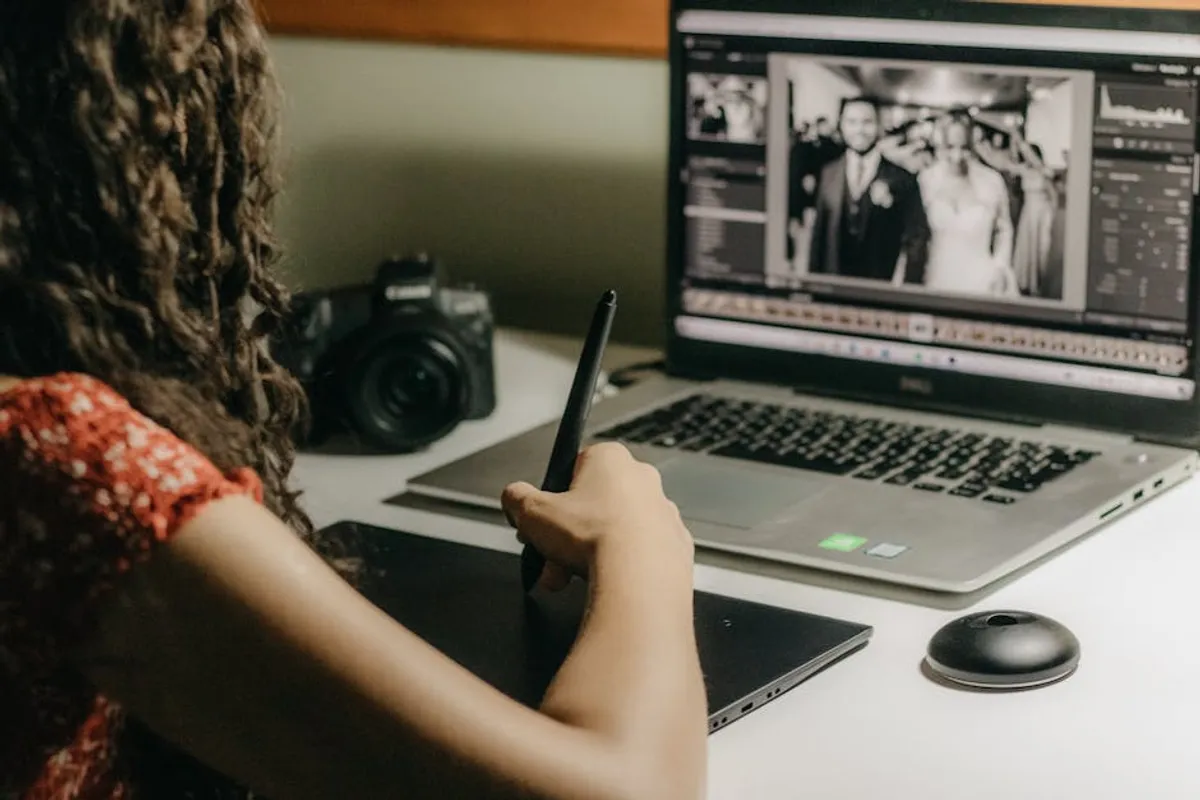
In digital content creation, the demand for high-quality visuals is constant, yet the time available for image manipulation often is not. Marketing teams, e-commerce managers, and social media strategists frequently require rapid, consistent edits across numerous images without sacrificing visual integrity. Traditional photo editing, with its steep learning curve and time-intensive processes, becomes a bottleneck. Artificial intelligence (AI) photo editors address this by automating complex tasks, enabling users to achieve professional-grade results in a fraction of the time. This shift is not merely about convenience; it is about scaling visual content production, ensuring brand consistency, and reallocating creative resources to higher-value tasks. The right AI editor can transform a multi-hour project into minutes, directly impacting publication schedules and campaign agility.
Key Considerations for AI Photo Editors
When selecting an AI photo editor for quick edits, evaluate tools based on their specific capabilities, integration potential, and operational efficiency. Focus on features that directly reduce manual effort and accelerate workflow. Consider the types of edits most frequently required for your content strategy: is it background removal, object retouching, color correction, or upscaling? A tool's ability to handle batch processing is critical for high-volume needs, as is its output quality, which must meet professional standards without requiring extensive post-processing. Assess the user interface for intuitiveness, as a complex interface negates the speed benefits of AI. Finally, examine the pricing model relative to your usage volume, ensuring scalability and cost-effectiveness for ongoing operations.
1. PixelFlow AI
PixelFlow AI specializes in high-volume, automated image enhancement, particularly for e-commerce and digital catalogs. Its core strength lies in its ability to apply consistent stylistic and corrective edits across thousands of images simultaneously. The platform uses deep learning models to identify common image imperfections, such as poor lighting, color casts, and minor blemishes, and then applies intelligent corrections. This makes it suitable for businesses needing uniformity in product photography or large media libraries, significantly reducing the manual QC required for batch outputs.
Best for: E-commerce businesses and digital publishers requiring consistent, large-scale image processing and standardization.
Pros:
- Exceptional batch processing capabilities, handling hundreds of images with uniform adjustments.
- Automated color correction and exposure balancing deliver consistent visual quality.
- Intuitive interface minimizes learning curve, allowing non-specialists to manage complex edits.
- Integration options for existing content management systems streamline workflows.
Cons:
- Advanced creative manipulation, like complex compositing, is outside its primary scope.
- Subscription tiers can become costly for very high-volume users without a clear ROI.
- Output resolution might be capped on lower-tier plans, impacting print-ready assets.
Verdict: PixelFlow AI is a robust solution for operations where speed, consistency, and volume are paramount, particularly for product-focused imagery. It automates the tedious aspects of image preparation, freeing up design resources for more creative tasks.
2. EditGenius
EditGenius focuses on intelligent object removal and background replacement, driven by advanced segmentation AI. This tool excels at isolating foreground subjects with precision, even against complex backgrounds, and then enabling seamless removal or replacement. Its algorithms are trained on vast datasets, allowing it to differentiate fine details like hair or intricate edges, which are typically challenging for automated tools. It’s particularly valuable for marketing assets where product isolation or contextual changes are frequent requirements.
Best for: Marketing teams and agencies needing precise object isolation, background removal, or scene manipulation for campaigns.
Pros:
- Highly accurate subject segmentation and background removal, even with challenging edges.
- Offers a library of stock backgrounds and intelligent blending for realistic composites.
- Supports real-time previews for quick iteration and adjustment of edits.
- API access available for developers to integrate into custom applications.
Cons:
- May struggle with highly reflective or transparent objects, requiring minor manual touch-ups.
- The creative background library, while extensive, might not cover all niche aesthetic needs.
- Processing large, high-resolution images can sometimes introduce slight delays.
Verdict: EditGenius stands out for its precision in subject isolation, making it an indispensable tool for content creators who frequently need to recontextualize or clean up product and portrait photography.
3. SwiftRetouch
SwiftRetouch specializes in AI-powered portrait and facial retouching, designed for speed and natural-looking results. It automatically detects facial features and applies subtle enhancements such as blemish removal, skin smoothing, teeth whitening, and red-eye correction without over-processing. The tool maintains natural skin texture and avoids the "plastic" look often associated with aggressive retouching. This makes it ideal for social media managers, photographers, and content creators who need to quickly refine headshots or lifestyle imagery.
Best for: Social media marketers, portrait photographers, and personal branding professionals requiring rapid, subtle facial enhancements.
Pros:
- Achieves natural-looking skin smoothing and blemish removal without artificial effects.
- Automated detection of facial features ensures consistent application of enhancements.
- Offers adjustable intensity levels for each retouching parameter, allowing fine control.
- Processes multiple faces in a single image efficiently.
Cons:
- Limited functionality beyond facial and portrait enhancements; not a general-purpose editor.
- May not fully satisfy highly specialized or artistic retouching demands.
- Requires a clear, well-lit face for optimal detection and results.
Verdict: For anyone whose workflow involves frequent portrait or headshot adjustments, SwiftRetouch provides a significant time-saving advantage by delivering polished, natural results quickly.
4. QuickCrop Pro
QuickCrop Pro is an AI-driven smart cropping and resizing tool, optimized for adapting images to various platform requirements. It uses computer vision to identify the most important elements within an image and then suggests optimal crop points for different aspect ratios (e.g., Instagram story, Twitter header, website banner). This ensures that key subjects are never cut off and compositions remain balanced across diverse output formats, eliminating the need for manual adjustment for each platform.
Best for: Digital marketers, social media managers, and web content creators who need to quickly repurpose images for multiple platforms.
Pros:
- Intelligently identifies focal points to preserve critical content during cropping.
- Automates resizing and cropping for a wide array of predefined social media and web dimensions.
- Batch processing allows simultaneous adaptation of entire image sets.
- Maintains image quality and resolution during scaling operations.
Cons:
- The AI's "smart" focus might occasionally misinterpret artistic intent, requiring manual override.
- Less useful for users who only need standard, non-intelligent cropping functions.
- Does not offer advanced image manipulation beyond cropping and resizing.
Verdict: QuickCrop Pro is an efficiency powerhouse for content distribution, ensuring visual assets are perfectly formatted for every channel without manual, repetitive adjustments.
5. ImageSpark
ImageSpark leverages AI for creative style transfer and artistic filters, allowing users to transform ordinary photos into stylized artworks with a single click. Its neural networks learn artistic styles from famous paintings or user-provided examples and apply them intelligently to new images, preserving content while adopting new aesthetics. This tool is particularly useful for generating unique visuals for marketing campaigns, social media, or blog headers that require a distinct artistic flair.
Best for: Creative marketers, bloggers, and designers looking to generate unique, stylized visuals quickly for campaigns or content.
Pros:
- Offers a wide range of artistic styles and filters, from impressionistic to abstract.
- Preserves content details while applying stylistic transformations effectively.
- Allows users to upload custom style images for unique artistic effects.
- Generates high-resolution stylized outputs suitable for various uses.
Cons:
- The artistic results can sometimes be unpredictable, requiring experimentation.
- Not designed for traditional photo correction or enhancement tasks.
- Overuse of certain filters can lead to a repetitive visual style across content.
Verdict: ImageSpark is a powerful creative accelerant for generating visually striking and unique imagery, ideal for breaking through visual clutter in digital spaces.
6. AuraEnhance
AuraEnhance focuses on AI-driven image upscaling and detail restoration. It uses generative adversarial networks (GANs) to intelligently add pixel information, effectively increasing image resolution without introducing blurriness or artifacts. This is particularly valuable for repurposing older, low-resolution images for modern high-definition displays or print, or for enhancing images captured with lower-quality devices. It intelligently reconstructs textures and fine lines, making small images suitable for larger formats.
Best for: Publishers, archivists, and marketers needing to upscale low-resolution images for high-definition displays or print materials.
Pros:
- Significantly increases image resolution while preserving or enhancing detail.
- Effectively reduces noise and JPEG artifacts during the upscaling process.
- Supports various output formats and custom resolution settings.
- Batch processing allows for efficient upgrading of entire image libraries.
Cons:
- Extremely low-resolution or heavily compressed source images may still show limitations.
- Processing very large images to extreme resolutions can be time-consuming.
- The AI might occasionally introduce subtle, non-existent details in complex patterns.
Verdict: AuraEnhance is a critical tool for extending the lifecycle and utility of visual assets, making previously unusable low-resolution images viable for high-quality applications.
7. BatchPic AI
BatchPic AI is designed for comprehensive batch image optimization, going beyond simple resizing to include AI-driven compression, format conversion, and metadata cleaning. It intelligently analyzes each image to apply the optimal compression algorithm without noticeable quality loss, ensuring fast loading times for web content. It also automates the stripping of unnecessary metadata and conversion to web-friendly formats like WebP, making it a crucial tool for website performance and SEO.
Best for: Web developers, SEO specialists, and content managers focused on website performance and optimizing image delivery.
Pros:
- Intelligent compression algorithms reduce file sizes significantly without quality degradation.
- Automates conversion to modern web formats (e.g., WebP) for faster page loads.
- Efficiently cleans metadata, improving privacy and reducing file bloat.
- Handles large volumes of images through robust batch processing.
Cons:
- Less focus on creative editing features; primarily an optimization tool.
- The default compression settings might be too aggressive for specific high-fidelity print uses.
- Requires careful configuration to balance quality and file size for diverse needs.
Verdict: BatchPic AI is an essential backend tool for anyone serious about website performance and delivering optimized visual content efficiently across digital channels.
8. ClarityForge
ClarityForge specializes in AI-powered image deblurring and noise reduction, restoring sharpness and detail to photos that suffer from motion blur, out-of-focus issues, or high ISO noise. Its algorithms analyze pixel patterns to differentiate between actual image information and unwanted artifacts, then intelligently reconstruct the underlying detail. This is particularly useful for salvaging otherwise unusable images from events, action shots, or low-light conditions, extending the utility of photographic assets.
Best for: Photographers, journalists, and content creators who frequently deal with challenging shooting conditions or imperfect source images.
Pros:
- Effectively reduces various types of blur (motion, focus) and image noise.
- Restores fine details and textures, improving overall image clarity.
- Offers adjustable intensity for deblurring and noise reduction, allowing user control.
- Can process images from various sources, including smartphone and professional cameras.
Cons:
- Severely blurred or noisy images may still yield limited improvements.
- Processing can be computationally intensive, especially for very large files.
- Might occasionally introduce subtle artifacts if over-applied to clean images.
Verdict: ClarityForge is a valuable recovery tool, enabling content creators to salvage and utilize images that would otherwise be discarded due to common photographic imperfections.
9. SceneShift
SceneShift offers AI-driven sky replacement and environmental adjustments, allowing users to instantly change the mood and context of outdoor imagery. It intelligently detects the sky and horizon line, then seamlessly replaces the sky with options ranging from clear blue to dramatic sunsets or starry nights. Beyond sky, it can also adjust lighting and reflections to match the new environment, ensuring a cohesive and realistic composite. This tool is invaluable for real estate, travel, and landscape photography where weather conditions are often unpredictable.
Best for: Real estate marketers, travel bloggers, and landscape photographers needing dynamic sky and environmental changes for visual impact.
Pros:
- Seamless and realistic sky replacement with intelligent blending and lighting adjustments.
- Offers a diverse library of sky options suitable for various moods and times of day.
- Automatically adjusts reflections and foreground lighting to match the new sky.
- User-friendly interface simplifies complex environmental manipulations.
Cons:
- May struggle with images containing complex foreground elements that intersect the sky (e.g., intricate tree branches).
- The realism of the composite is highly dependent on the quality of the original image.
- Primarily focused on outdoor scenes, with limited applicability for indoor photography.
Verdict: SceneShift is an impactful tool for dramatically altering the perception and appeal of outdoor photography, enabling quick visual storytelling without extensive manual editing.
10. StyleSync
StyleSync utilizes AI to ensure visual consistency across a brand's entire image library. It learns a brand's specific aesthetic—color palette, tone, contrast, and filter preferences—from a set of approved images and then automatically applies these stylistic guidelines to new or unedited photos. This guarantees that all visual content aligns with brand identity, regardless of the original source or editor. It’s particularly beneficial for large organizations or agencies managing multiple brands.
Best for: Brands, agencies, and large content teams requiring strict visual consistency and adherence to brand guidelines across all imagery.
Pros:
- Automates the application of specific brand aesthetics (color, tone, contrast).
- Ensures visual consistency across diverse image sources and content types.
- Reduces the need for manual review and correction for brand compliance.
- Scales effectively for large image libraries and multiple content creators.
Cons:
- Initial setup requires a clear definition and input of brand style examples.
- May occasionally over-apply or misinterpret subtle stylistic nuances.
- Less useful for ad-hoc creative projects that intentionally diverge from brand norms.
Verdict: StyleSync is a strategic asset for maintaining brand integrity and visual harmony across all digital touchpoints, streamlining the brand approval process for images.
11. FaceFix AI
FaceFix AI is a specialized tool for advanced facial manipulation, offering more than just retouching. It can subtly adjust facial expressions, correct eye gaze, or even perform age progression/regression, all while maintaining photorealistic quality. Its deep learning models understand human facial anatomy and expressions, allowing for nuanced changes that appear natural. This is particularly useful for marketing materials where specific emotional cues or demographic targeting are crucial.
Best for: Advertising campaigns, character design, and content requiring precise control over facial expressions and demographics.
Pros:
- Performs subtle and realistic adjustments to facial expressions and gaze.
- Offers advanced features like age progression/regression for specific use cases.
- Maintains photo-realistic quality, avoiding uncanny valley effects.
- Allows for fine-tuned control over intensity of adjustments.
Cons:
- Ethical considerations surrounding deepfake technology require responsible usage.
- Can be complex to master for users unfamiliar with advanced facial editing.
- High-resolution source images are necessary for the most convincing results.
Verdict: FaceFix AI offers unparalleled control over facial elements, making it a powerful tool for highly specific marketing and creative projects where subtle emotional or demographic shifts are required.
12. ObjectErase
ObjectErase excels at intelligent object removal and content-aware fill, allowing users to seamlessly remove unwanted elements from photos without leaving noticeable traces. Unlike simple cloning, its AI analyzes the surrounding pixels and reconstructs the background or texture, making the removal appear natural. This is invaluable for cleaning up cluttered scenes, removing photobombers, or eliminating distracting elements from product shots, enhancing the overall focus and professionalism of an image.
Best for: E-commerce photographers, social media managers, and anyone needing to quickly clean up images by removing distracting elements.
Pros:
- Highly effective content-aware fill for seamless object removal.
- Intelligently reconstructs textures and backgrounds, avoiding repetitive patterns.
- User-friendly interface for selecting and removing objects with minimal effort.
- Works well on various image types, from landscapes to product photography.
Cons:
- Extremely complex or highly textured backgrounds can sometimes present challenges.
- Larger objects or those intersecting critical foreground elements may require multiple passes.
- Does not offer broader image manipulation or enhancement features.
Verdict: ObjectErase is an indispensable tool for rapidly decluttering and refining images, ensuring that the focus remains on the intended subject without visual distractions.
Measuring Success and Choosing the Right Editor
Selecting an AI photo editor is a strategic decision that should align with your specific content goals and workflow. Measure success by tracking key metrics:
- Time Savings: Quantify the reduction in hours spent per image or per batch compared to manual editing processes.
- Output Consistency: Evaluate how well the AI maintains brand guidelines, color profiles, and overall aesthetic across different images and campaigns.
- Quality Improvement: Assess the perceived quality of edited images—are they sharper, more vibrant, and free of imperfections?
- Cost Efficiency: Compare the subscription costs against the time saved and the increased volume of high-quality content produced.
- Integration Efficiency: How smoothly does the editor integrate into your existing content pipeline, from asset ingestion to publication?
The "right" editor is one that consistently delivers on these metrics for your primary use cases, offering a clear return on investment through accelerated workflows and enhanced visual content quality.
Frequently Asked Questions
What defines an "AI photo editor" for quick edits?
An AI photo editor for quick edits leverages machine learning algorithms to automate complex, repetitive, or time-consuming tasks in image manipulation. This includes features like intelligent background removal, automated color correction, smart cropping, and one-click retouching, all designed to reduce manual effort and accelerate the editing process.
Can AI photo editors replace professional human editors?
AI photo editors excel at automating routine, high-volume tasks and achieving consistent results quickly. They are powerful tools for efficiency and scalability. However, they typically complement, rather than fully replace, professional human editors, who bring creative vision, nuanced artistic judgment, and the ability to handle highly complex or unique editing challenges that AI cannot yet replicate.
Are AI-edited photos suitable for all commercial uses?
For many commercial applications, especially digital marketing, e-commerce, and social media, AI-edited photos are perfectly suitable and often preferred due to their speed and consistency. For high-end print advertising, fine art, or situations requiring extreme precision and artistic interpretation, human oversight and specialized tools may still be necessary to achieve the highest possible quality.
What are the main limitations of AI photo editors?
Current limitations include occasional misinterpretations of complex scenes, difficulty with highly reflective or transparent objects, and a lack of true creative intuition. While AI can apply styles and make intelligent adjustments, it generally cannot conceptualize or execute unique artistic visions without human input. Over-reliance on AI can also lead to a homogenized visual style if not carefully managed.
How do AI photo editors handle data privacy and security?
Reputable AI photo editors typically process images on secure servers and adhere to data privacy regulations. Users should review the terms of service and privacy policy of any chosen platform to understand how their images are handled, stored, and if they are used for training AI models. Opt for services that prioritize user data protection and offer clear data retention policies.